Internal Tools
PJLink Monitor
A web application for monitoring and operating a mixed projector fleet across locations and time zones, with scheduling, history, and usage reports.
- My role
- Sole developer and maintainer
- Project state
- Production
- Technologies
- React / TypeScript / Node.js / Express / SQLite / PJLink
What I built
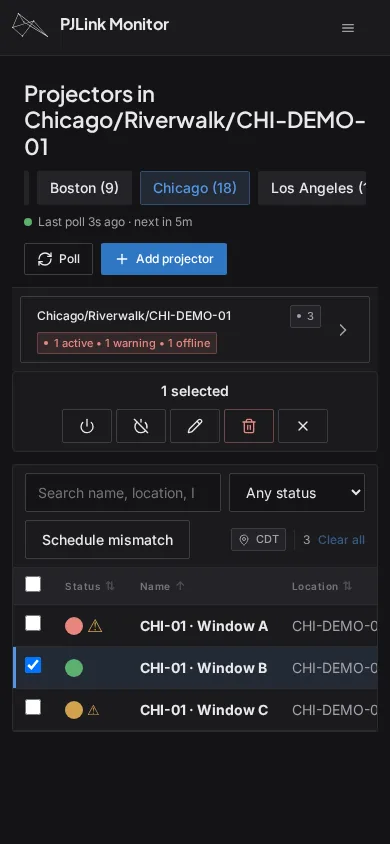
I built and maintain PJLink Monitor so our team can operate projectors from different manufacturers through one application. It runs on a cloud server and gives staff access to monitoring, controls, schedules, history, and reports from a desktop or phone.
Real application and API with synthetic fleet data and simulated device replies. No live equipment or notification services were connected.
Built for a changing fleet
Our installations use projectors from several manufacturers and are usually temporary. When I looked at software for managing them, the vendor tools were largely designed for desktop PCs and offered uneven support for other manufacturers’ devices. We needed a system that could run on a cloud server and manage sites across time zones. Integrator systems were expensive and better suited to permanent installations.
Building our own application let me bring the fleet into one interface and adapt the device communication to the projectors we actually use. The backend handles differences between PJLink implementations and can be extended with vendor-specific commands or custom protocols as needed.
See what needs attention
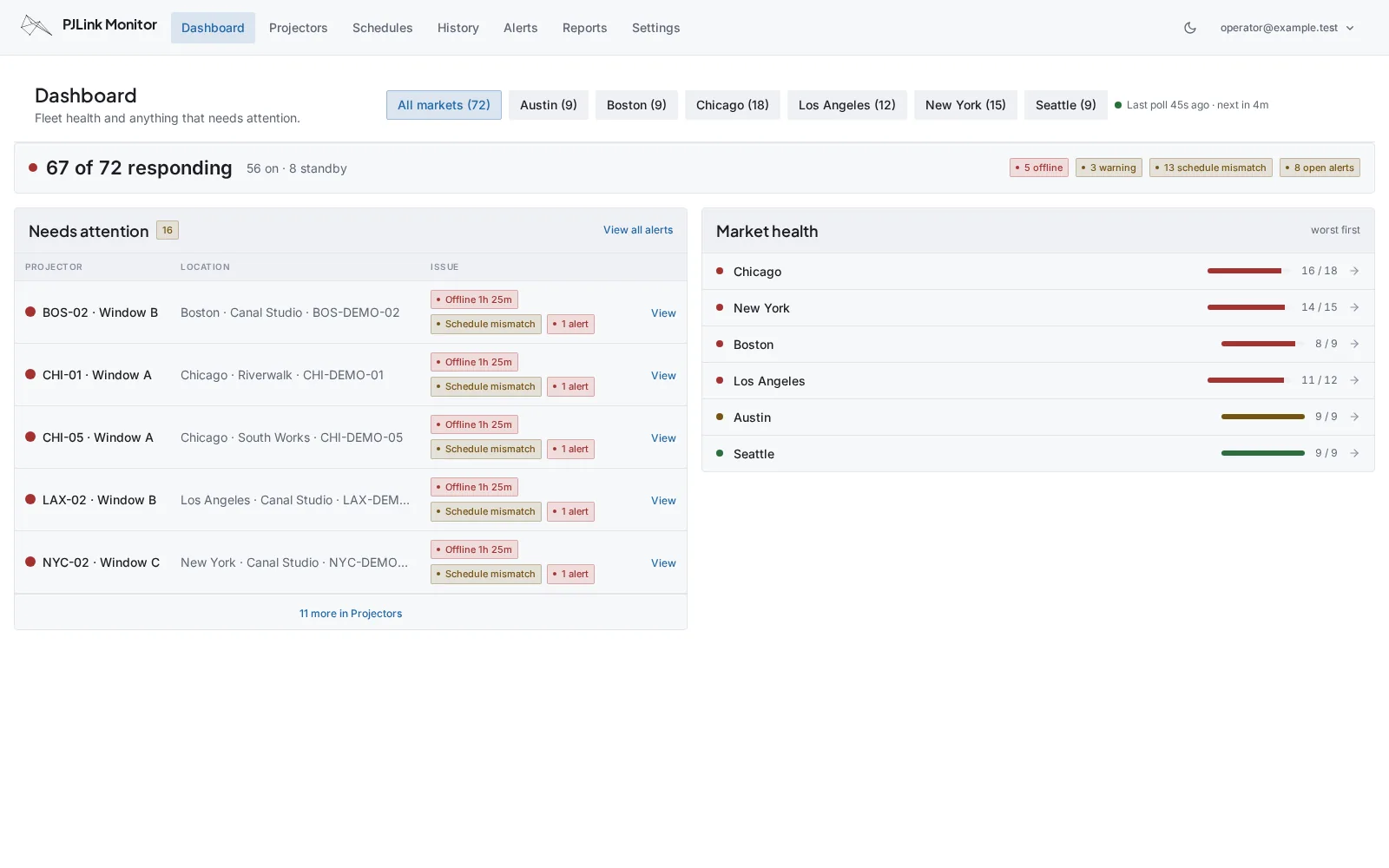
The dashboard puts operational issues in one place so staff can quickly identify which projectors and locations need a response. Frequent polling keeps status current, while configurable alert triggers help filter out false alarms caused by network congestion or delayed replies. Alerts remain available to review and can be marked as resolved.
Schedules in each location’s time zone
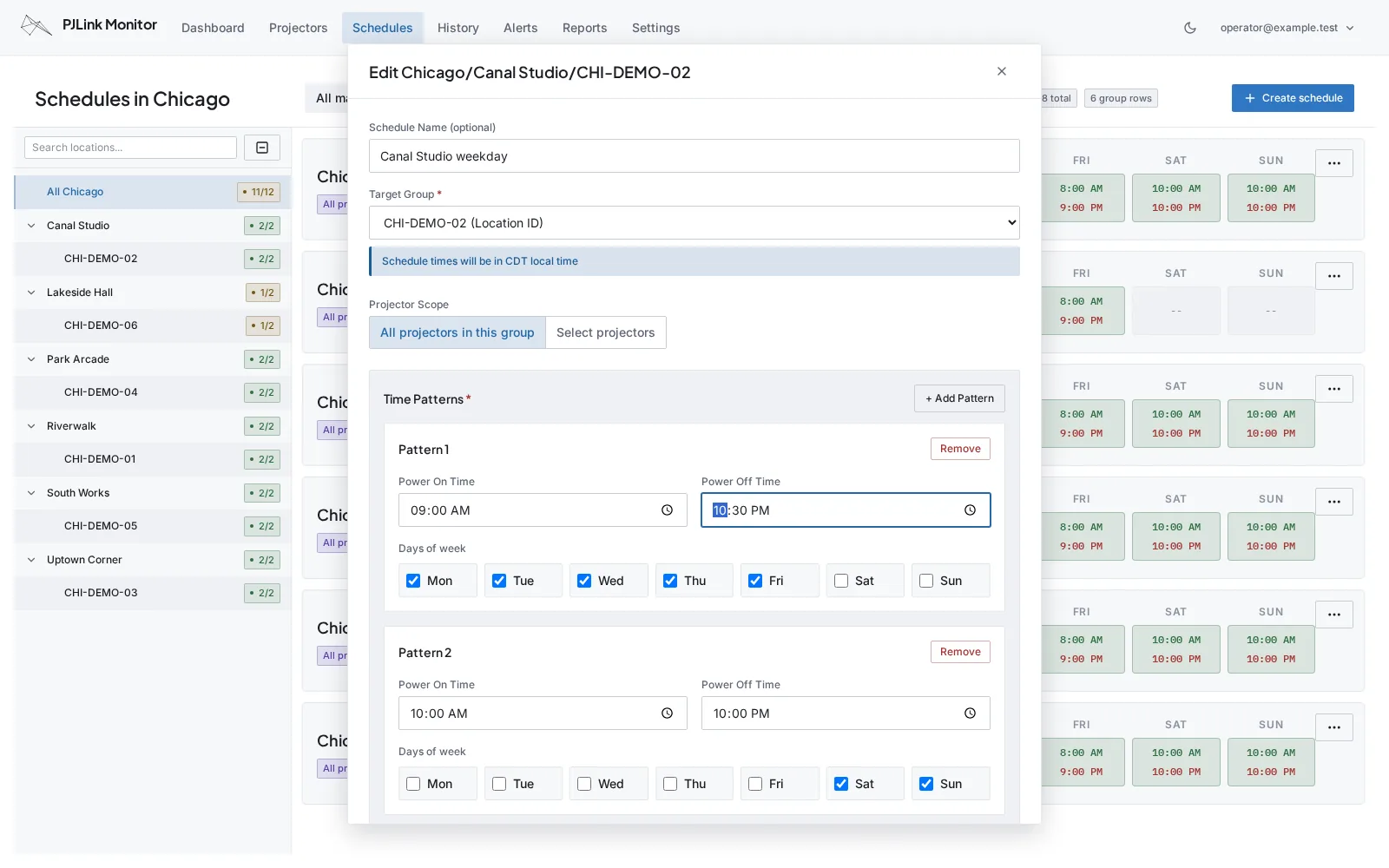
Staff set operating hours in the local time of the installation, without having to convert them to the server’s time zone. Schedules can apply to a whole location or selected projectors and combine multiple time patterns for different days. That flexibility lets us accommodate unusual operating hours as well as regular weekly schedules.
Look back at what actually happened
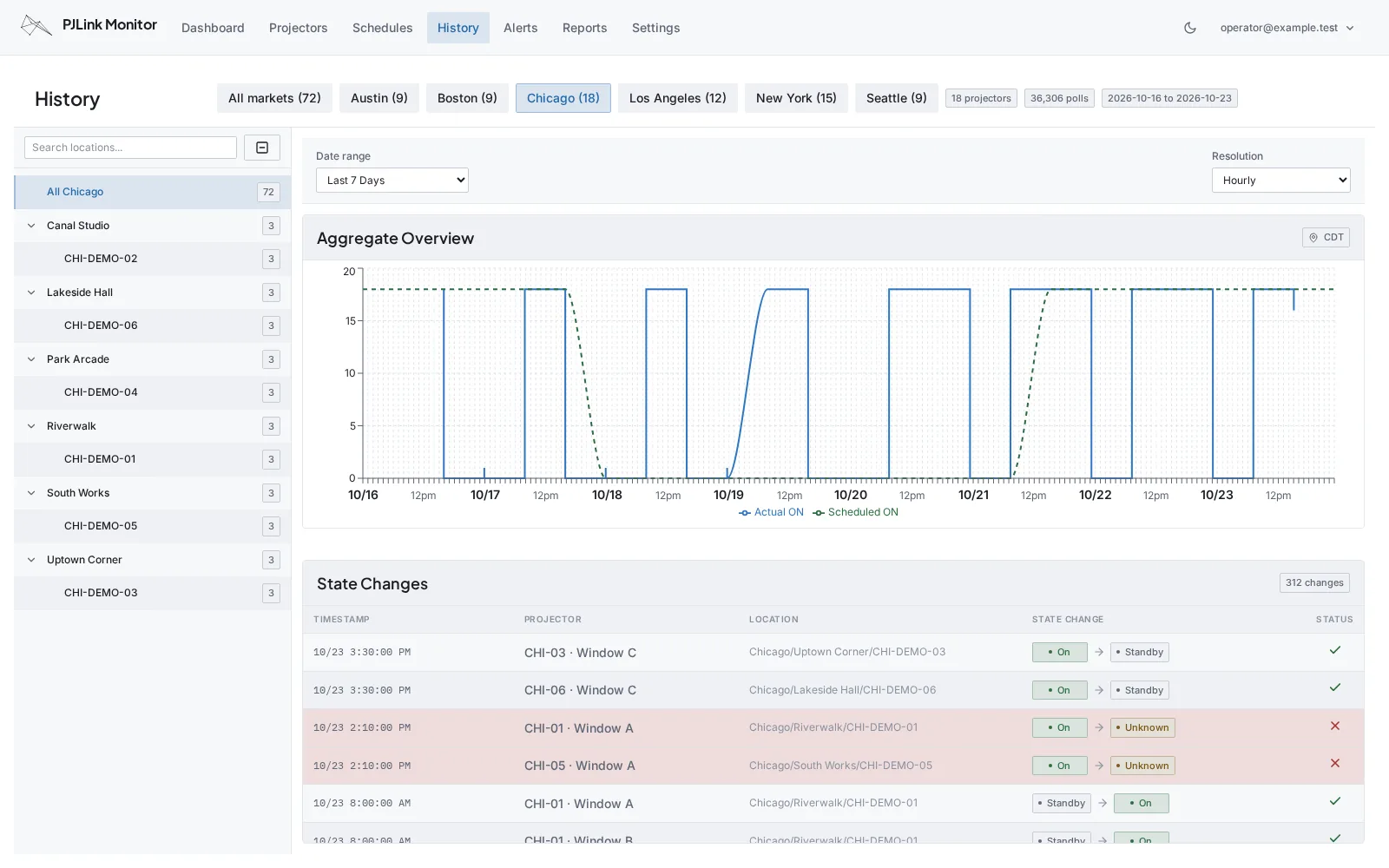
A current status screen cannot tell you when a problem began or whether an installation ran correctly last week. I built History to answer those questions. It records device observations and state changes, compares actual operation with scheduled hours, and lets staff move between individual projectors, locations, and different time ranges and levels of detail.
The records are archived on the server, with older data loaded as needed. That gives the team a way to investigate past incidents and confirm operation after the fact.
Usage reports for accounting
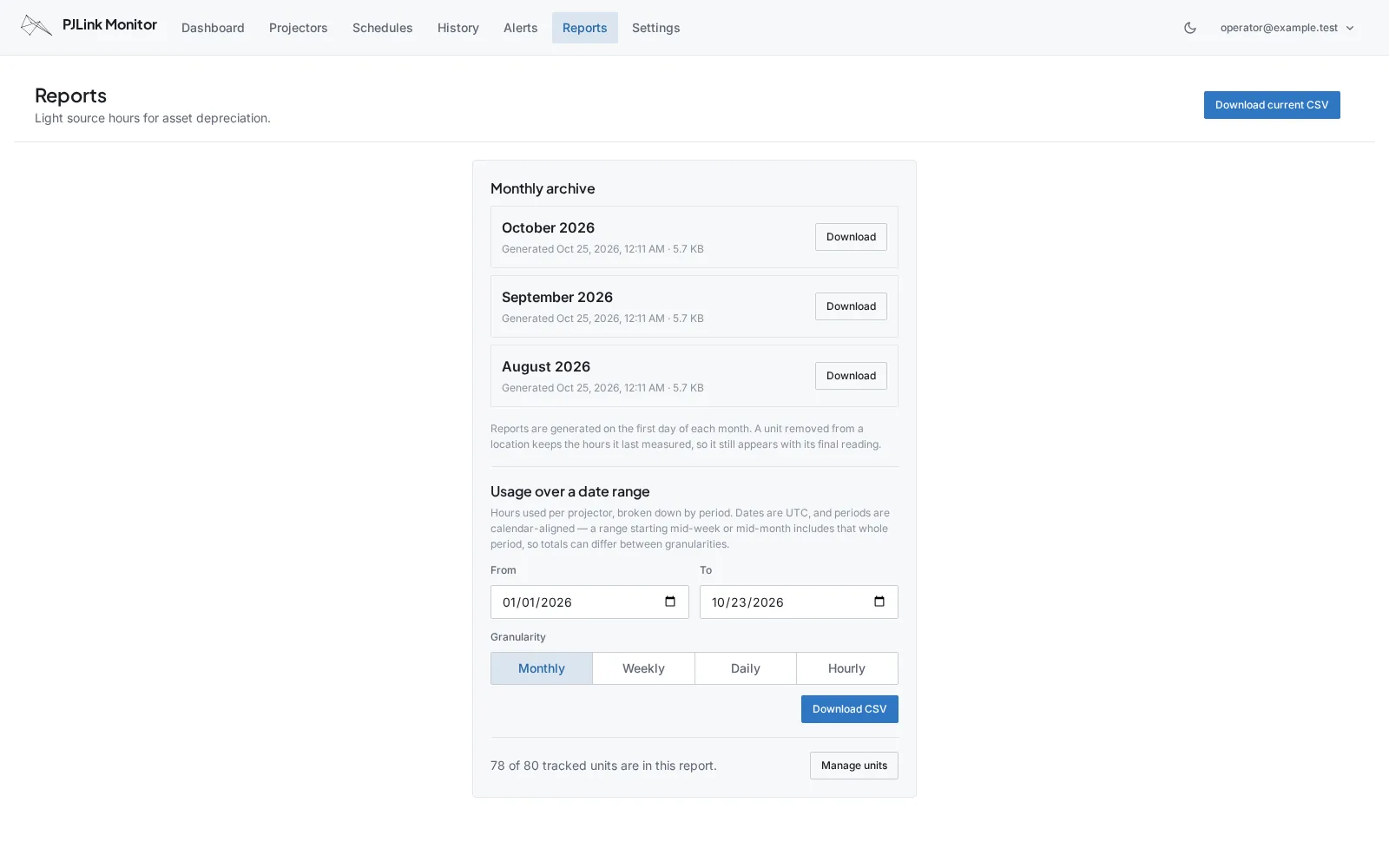
We also needed to track projector usage for accounting and depreciation. The application generates monthly reports automatically and supports year-to-date and custom date ranges. Reporting includes units that have left active monitoring, retaining their final readings so the accounting record covers the fleet beyond the projectors currently installed.
Usable wherever the team is working
The same location navigation carries across Projectors, Schedules, and History. Staff can check a site, investigate its history, and adjust its schedule without learning a different structure on each page. Everyday controls are straightforward enough for non-technical team members to use.
The application has a fully functional mobile interface for working on site or on the go, multiple user accounts with different privileges, and dark mode. It follows the company’s design system, alongside the other internal tools I build and maintain.