Internal Tools
Master Sheet
The team’s daily workspace for managing 400+ locations and turning location data into client pitches, built around the company’s business model.
- My role
- Sole developer and maintainer
- Project state
- Production
- Technologies
- React / TypeScript / PocketBase / Google Maps / Google Slides
What I built
I built Master Sheet to replace the spreadsheet at the center of our location inventory. It is now the company’s main source of location information, used by every team member daily. It brings together the details we need to manage locations, maintain industry records, and prepare client pitches. Since its introduction, the team has grown the inventory from 100+ to 400+ locations in less than a year.
Real application with 260 demonstration locations and synthetic prices, clients, notes, and users. The featured location uses its actual physical details and photo; other reference photos are illustrative. The demo count is separate from the 400+ locations managed in production.
A workspace built around how we use location data
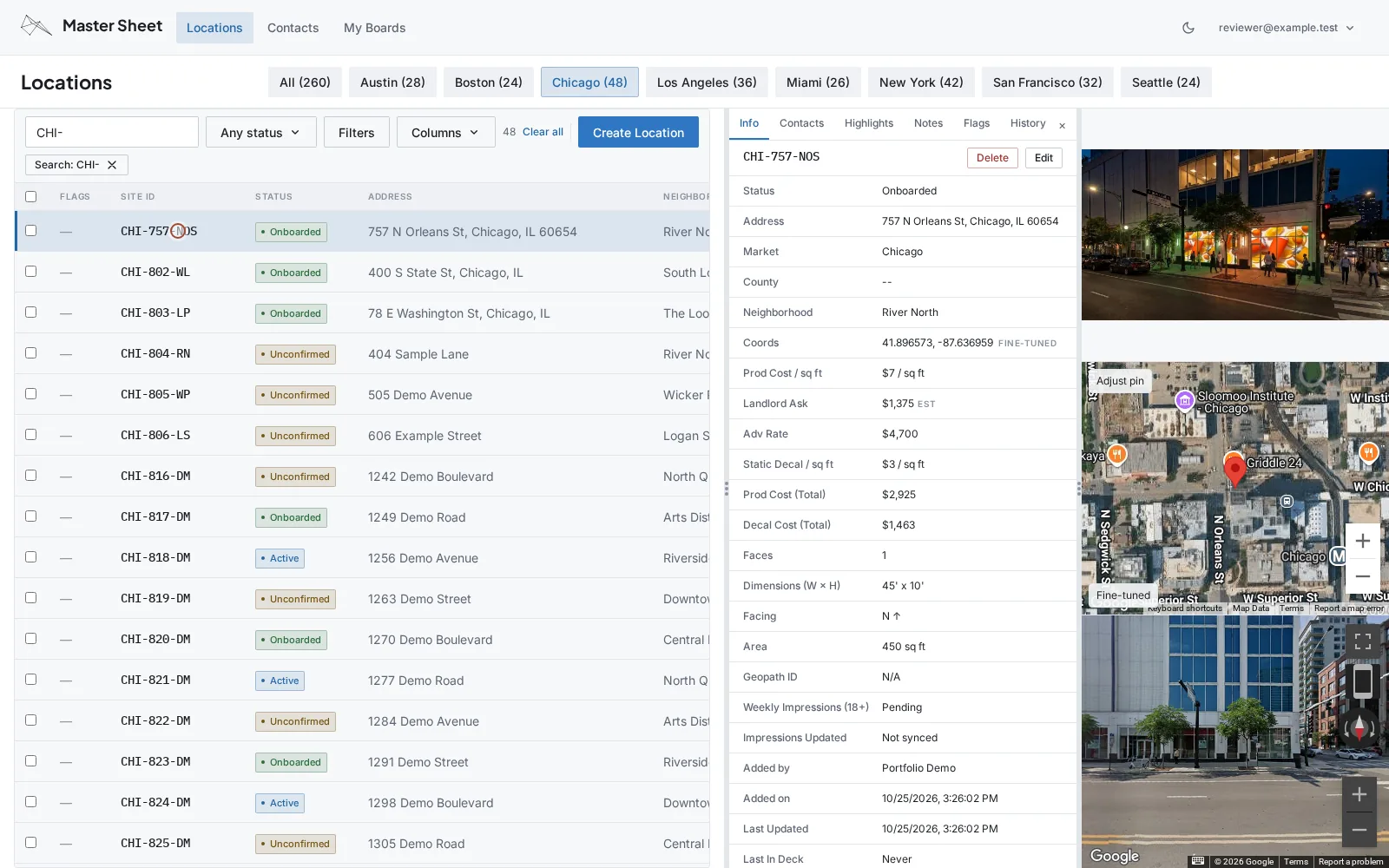
The interface is deliberately dense. Staff need to compare locations and see the important details together, without opening a succession of pages. A table with market filters makes hundreds of locations easy to browse. Opening a record brings up a drawer with its details, photo, interactive map, and Street View while keeping the list in reach.
I designed the fields and data types around our business, with linked contacts and companies for brokers, property managers, and owners. When someone spots an issue, they can flag it and leave a note. The flag stays visible in the table so the team can follow up later. Changes are logged and timestamped, making it possible to see what changed and when.
Keep records consistent and ready to share
Address entry combines Google Places and geocoding with address validation to keep records in a consistent format. Staff can fine-tune a location’s coordinates by dragging its map pin. An AI-assisted generator suggests short, recognizable location IDs based on the address, with uniqueness checks to avoid duplicates.
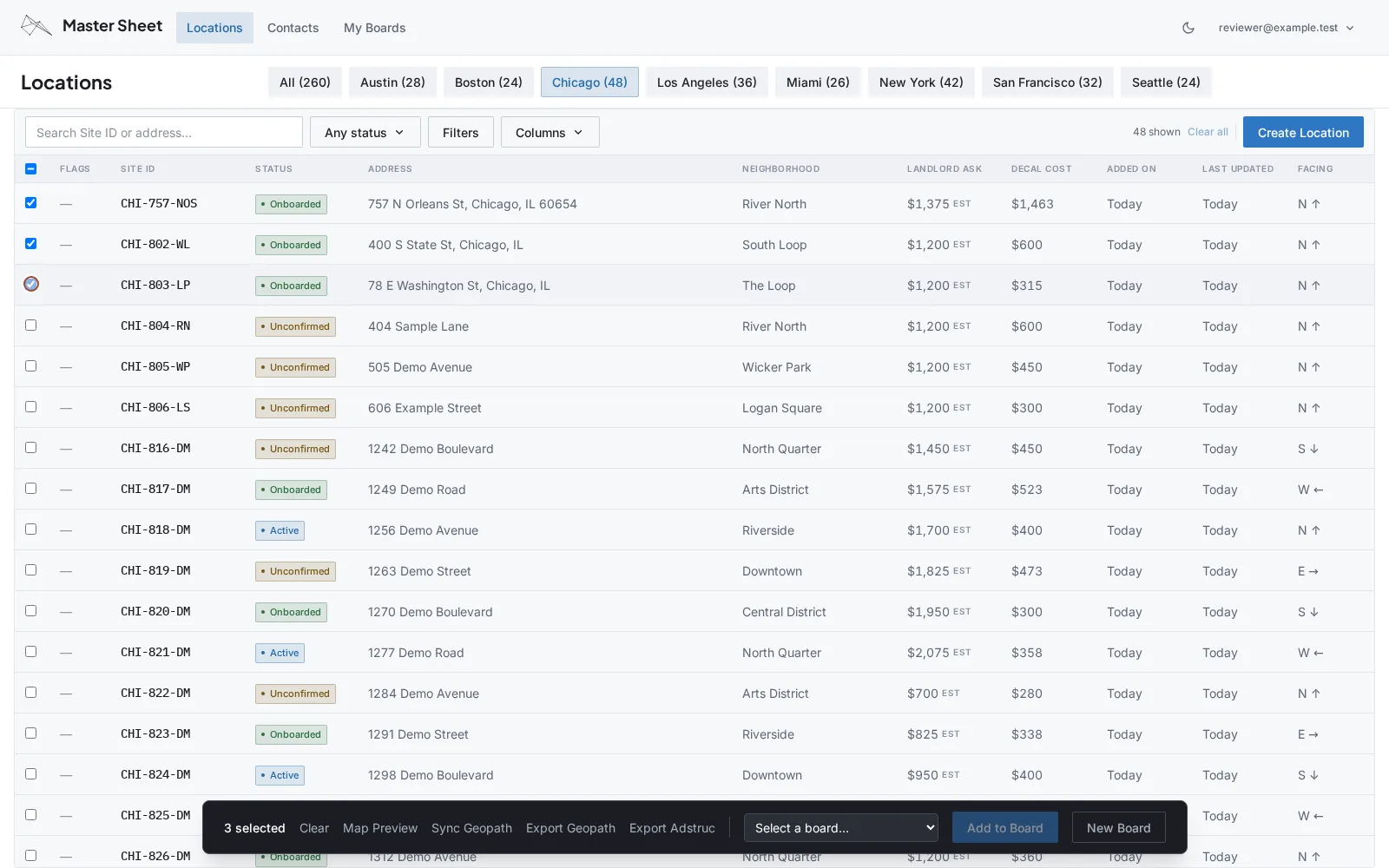
The application stores the information needed to submit locations to Geopath and exports it directly into the submission sheet. A Geopath API integration updates audited impression figures. Adstruc export is also available; support for other industry formats, including DOmedia, is in progress.
From a selection of locations to a client pitch
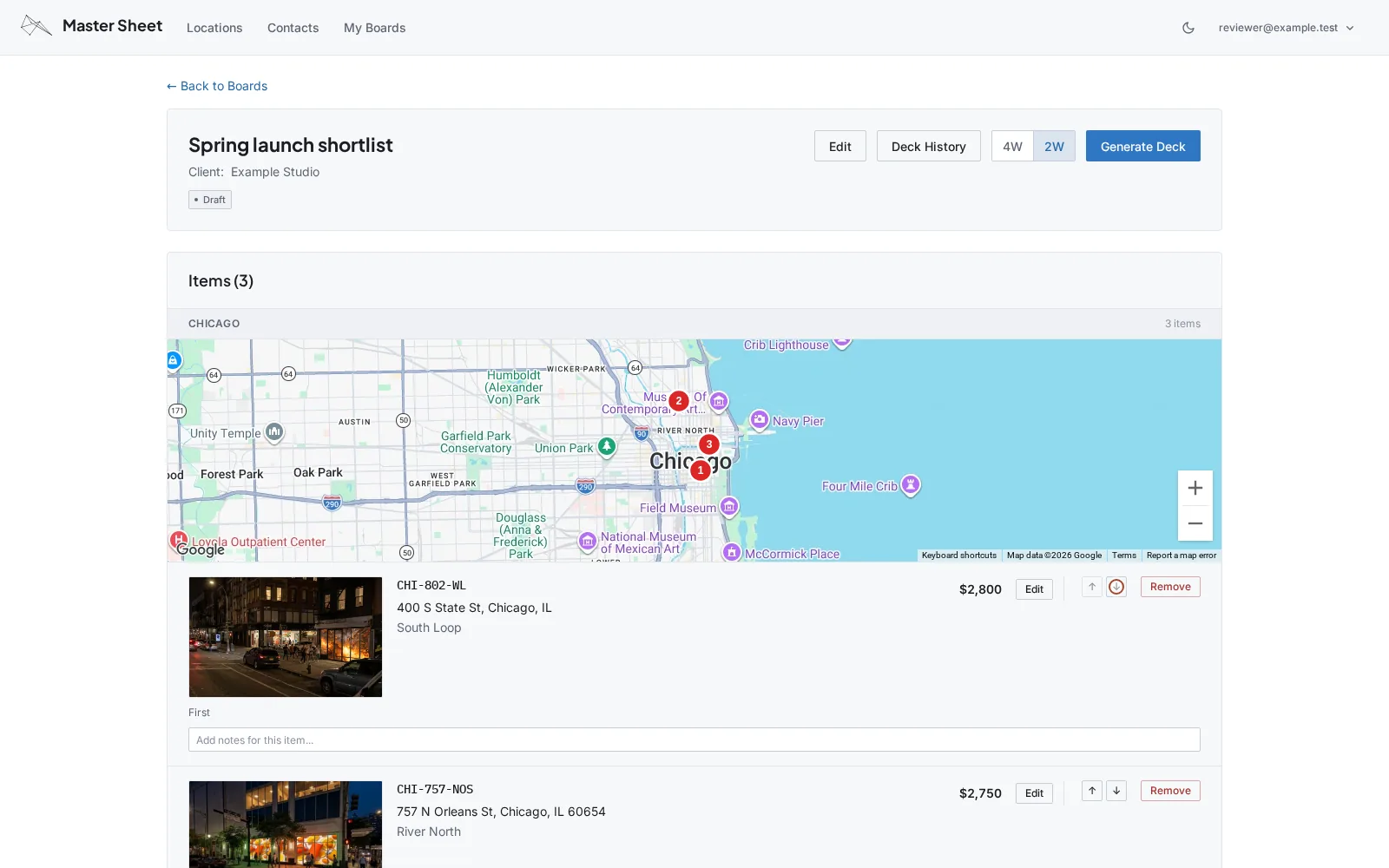
Staff assemble locations into Boards, preview the bundle on a map, and review a numbered map for each market. Each board has its own location order, a two-week/four-week pricing toggle, and price overrides. Staff can quote a different price for the same location in each pitch without changing its standard price or the prices in other pitches.
An AI integration helps write location Highlights for the pitch. The team can then generate a Google Slides deck from the board. Previous generations are timestamped and linked from the board’s history, so staff can find the presentation they sent earlier.
This replaced manually assembling presentations and gave the sales team a way to prepare and send a quick pitch without waiting for someone else to put it together.
A tool the whole team relies on
Master Sheet has become one of our most used internal tools. Its fully functional mobile interface lets staff work away from a desk, and it shares the company’s design system and dark mode with the other applications I maintain.
I own the application from requirements and interface design through deployment and ongoing support. PocketBase keeps the backend straightforward to manage. Owning the data model, interface, and integrations also means I can extend the tool as our workflow changes, rather than make the team work around a fixed product.