Internal Tools
Inventory
A custom inventory application for managing equipment and supplies across storage and installation sites, built around how our team works.
- My role
- Sole developer and maintainer
- Project state
- Production
- Technologies
- React / TypeScript / Fastify / SQLite
What I built
I designed, built, and deployed Inventory to replace Visual Feeder’s AppSheet system. It is now the team’s primary inventory tool, and I continue to maintain it.
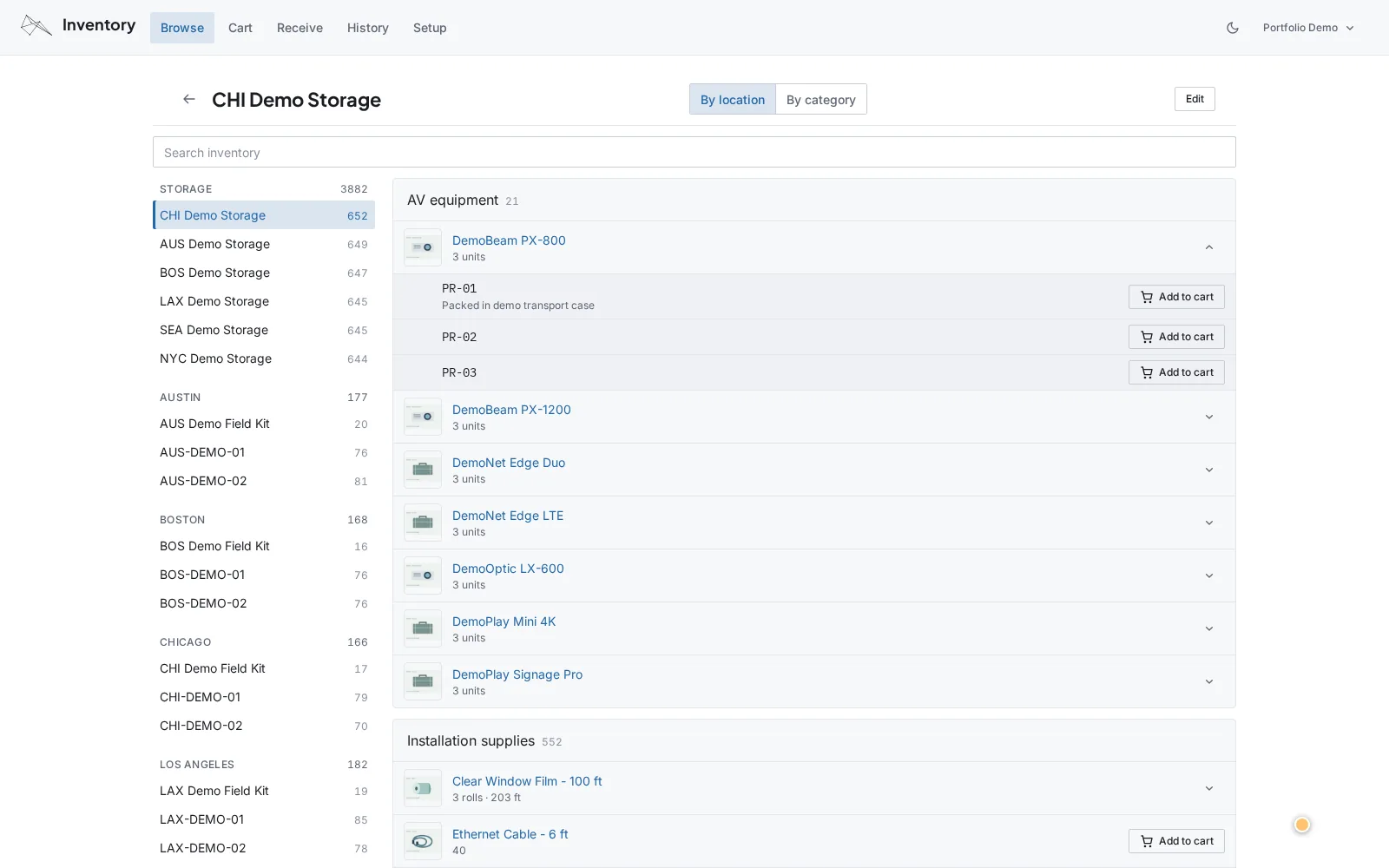
Real application and API with synthetic stock, movements, and user identities. No company equipment photos or production records are used.
Watch: Move an installation kit · 31 seconds
Move an installation kit
Choose a labelled projector, four cables, and one film roll, then move the kit to a site in a single checkout. The recording ends with the saved movement history.
What happens in the recording
- Add one labelled projector, four HDMI cables, and the individual 68-foot roll to the cart.
- Choose CHI-DEMO-01 as the default destination and add a note for the installation kit.
- Move the inventory and open History to inspect all three recorded lines.
Built around the way we work
We needed to keep track of equipment and supplies across storage spaces and installation sites. Commercial inventory software was an option, but it would mean paying for a product and adapting our process to the way it worked. I built Inventory around the team’s existing workflow, so it could make everyday tasks easier without requiring us to reorganize how we work.
Finding, moving, and receiving inventory
The team can browse by category to find where particular items are available, or by location to see everything stored or installed there. To move equipment, you add items to a cart, choose their destination, and check out. That lets you put together an installation kit and move it in one operation, with every movement recorded in the history.
Different kinds of stock need different handling:
- Individual equipment gets an automatically assigned inventory ID, so each unit can be tracked separately.
- Bulk supplies are tracked by quantity. You can move just the amount you need and leave the rest where it is.
- Film rolls also track the length remaining after use, so the team can find a suitable partially used roll and make better use of the material.
When more stock arrives, the Receive section lets staff add new units of items already in the catalog without entering their details again.
A complete application for the team
Inventory works on both desktop and mobile, including when staff are handling equipment on site. It supports multiple users with separately configurable roles, follows the company’s design system, and includes dark mode.
I also built safeguards into the movement workflow. Before saving a checkout, the server checks that every selected item is still available and records the entire move in one database transaction. If an item is no longer available, the checkout leaves the inventory unchanged. When a movement is reversed, the application records a linked return rather than erasing the original history.